Signing out and back in to switch between work and personal accounts.
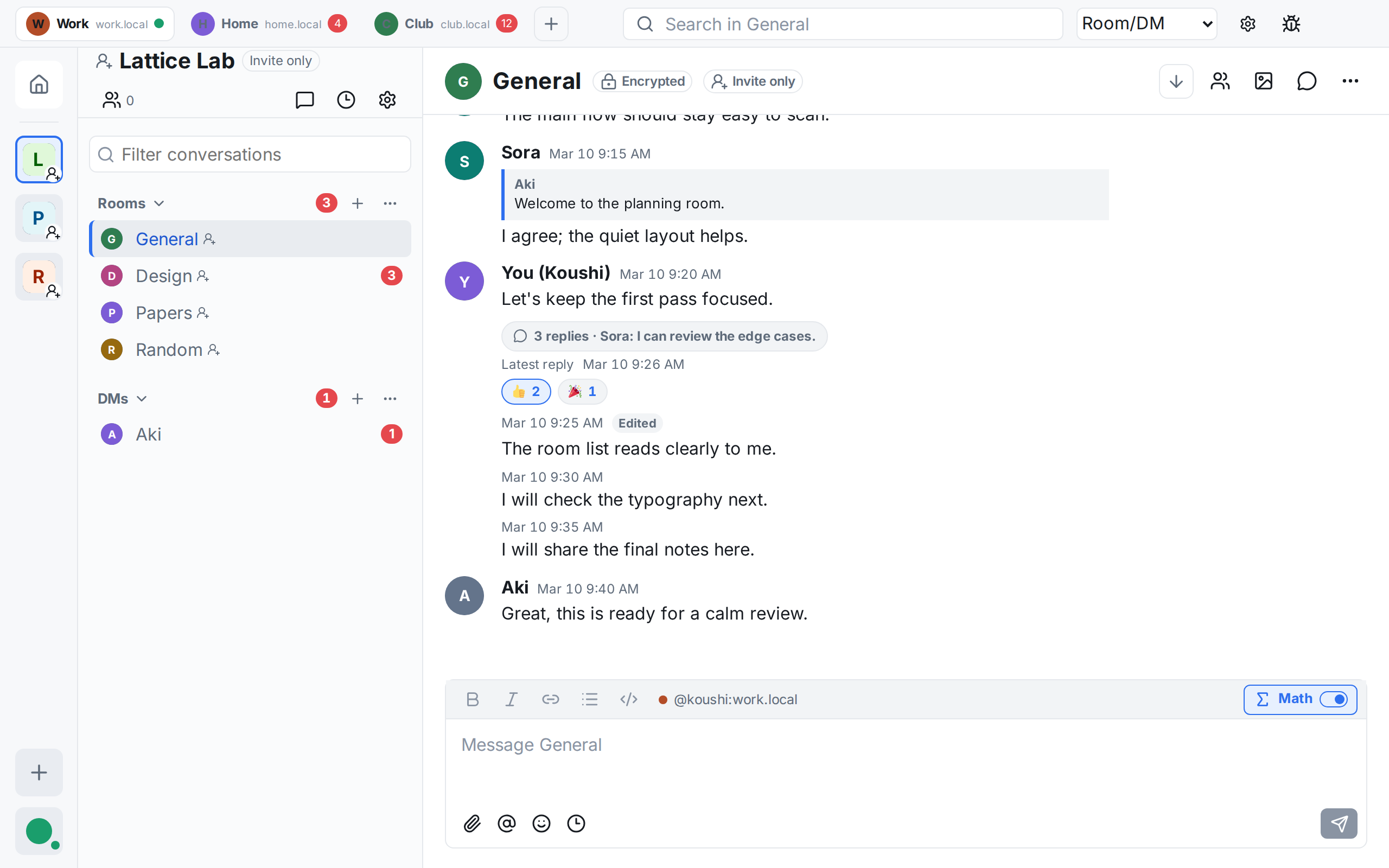
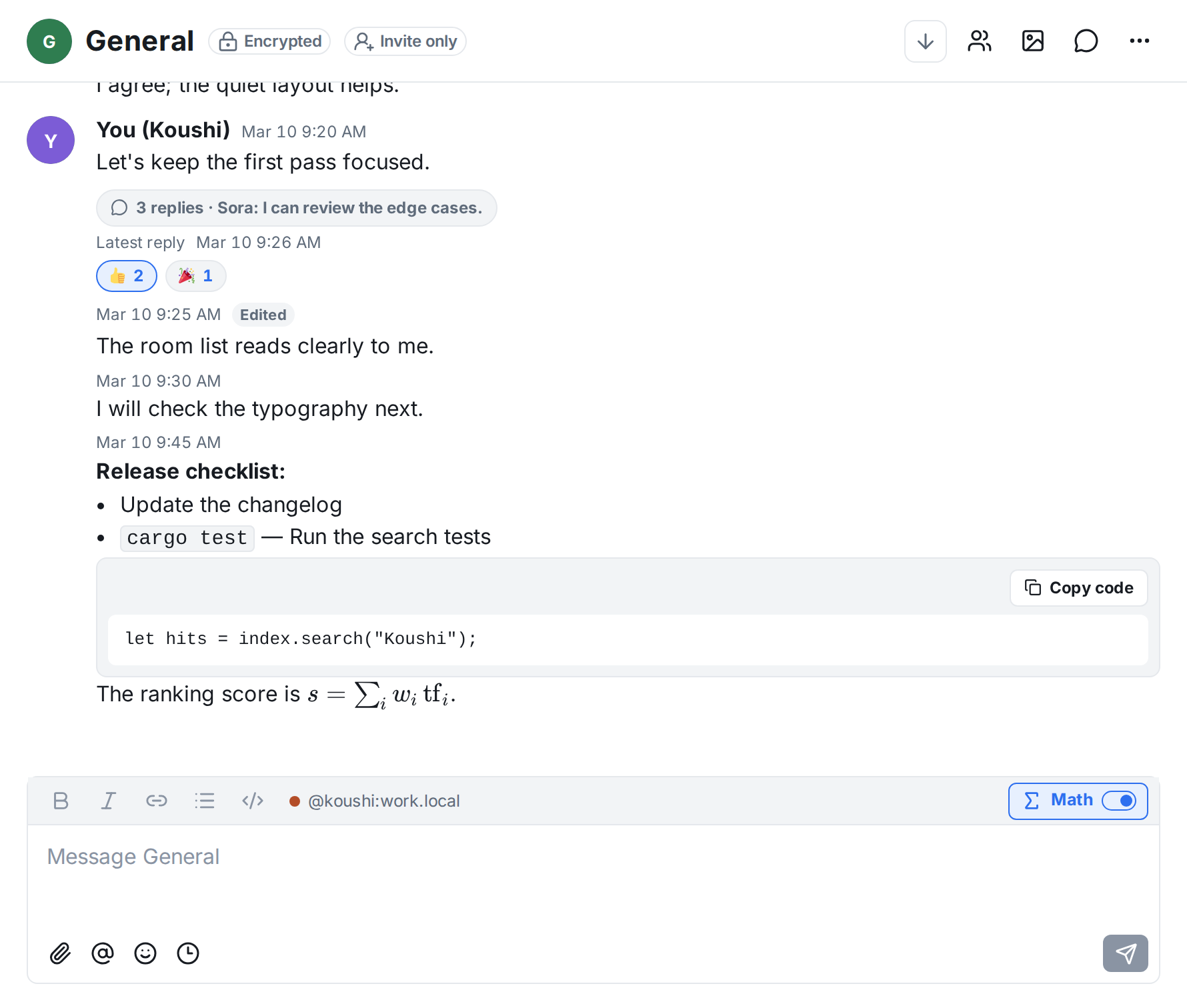
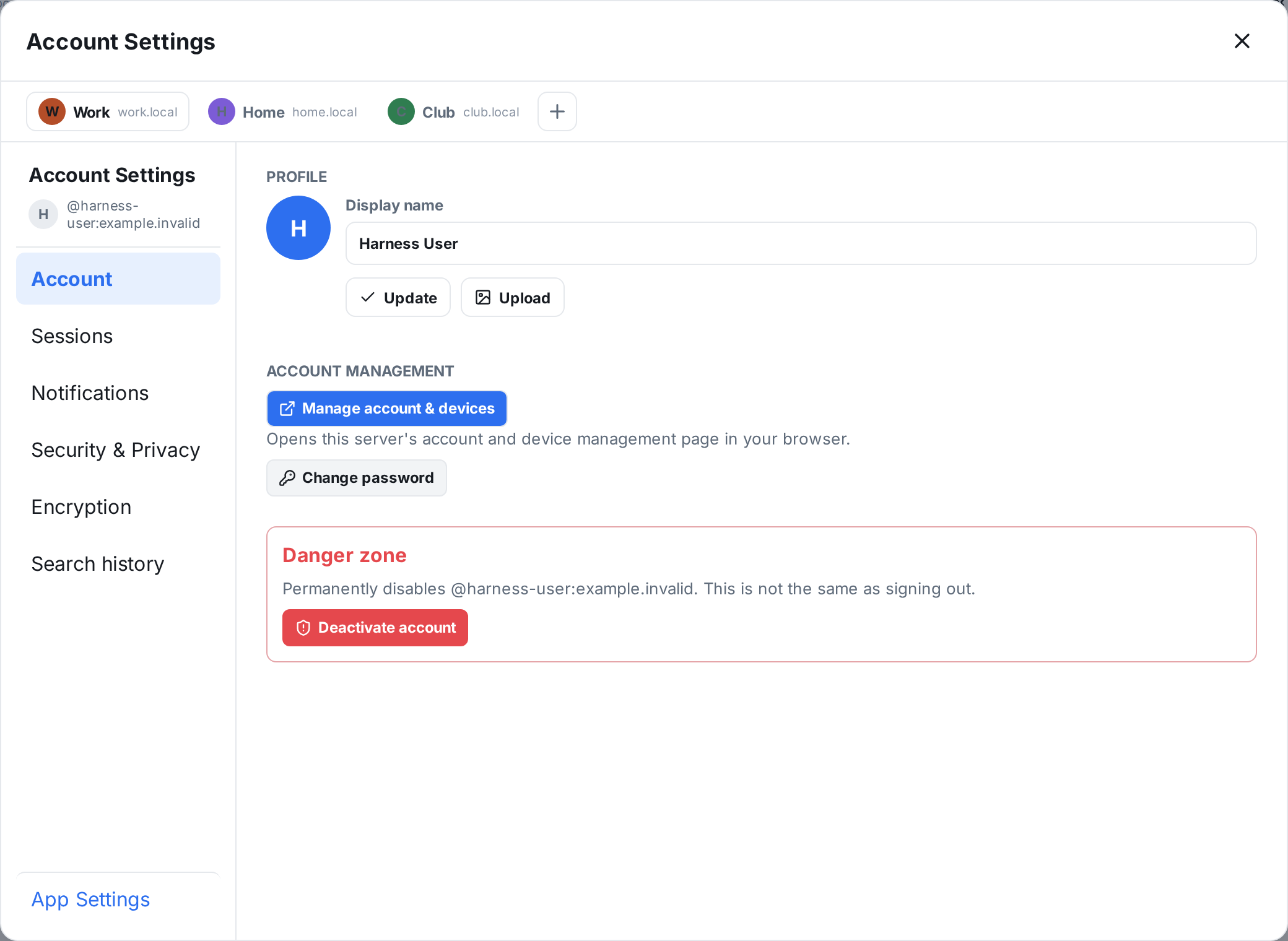
Add each account as a tab. Every tab stays signed in and syncing, shows its own unread count, and the composer always shows which account you are sending as.
 Koushi
Keep your work, personal, and community Matrix accounts open side by side in one window. Each account has its own tab, stays signed in, and keeps syncing.
Download for macOS (Apple Silicon) View on GitHub Version 0.34.1
Other platforms (untested): Windows installer · Linux AppImage · Linux deb · Linux RPM · All releases and checksums
Matrix is an open chat network. Like email, you pick a server for your account and can still talk to people on other servers. Conversations can be end-to-end encrypted, and no single company owns the network.
No account yet? You can create one with any Matrix server; matrix.org is one public option.
Koushi grew out of everyday annoyances. If any of these bother you, it may be worth a try.
Signing out and back in to switch between work and personal accounts.
Add each account as a tab. Every tab stays signed in and syncing, shows its own unread count, and the composer always shows which account you are sending as.
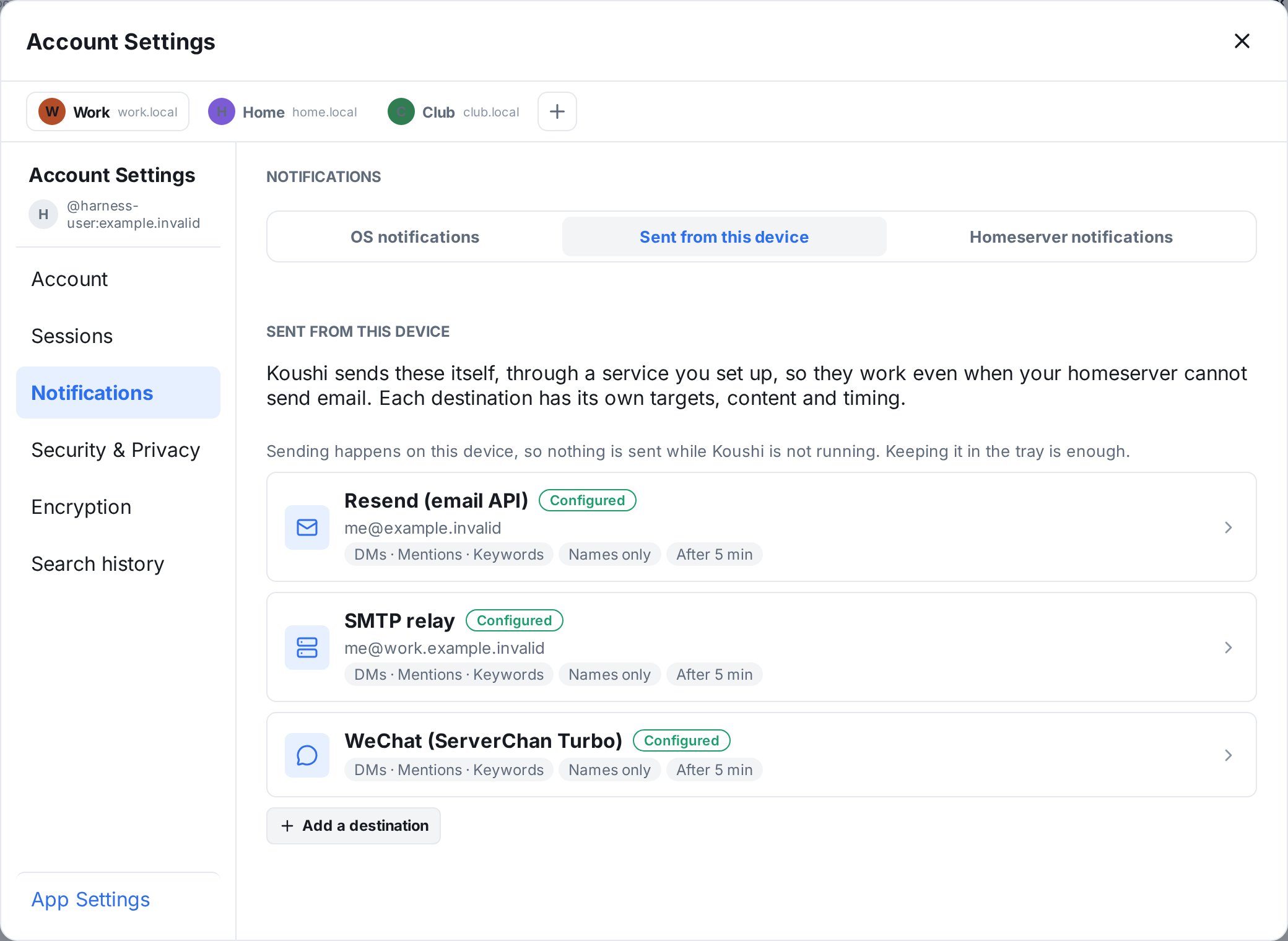
Your homeserver never emails you about missed messages. matrix.org does not send notification email.
Koushi can send notifications itself, from your computer, by email through Resend or an SMTP relay, or to WeChat through ServerChan. You choose what triggers a notification, how much message text is included, and how long to wait before sending.
"Unable to decrypt" keeps showing up.
Koushi has you finish secure backup at sign-in, before you start chatting, and asks you to save the recovery key before you continue. When a missing key arrives later, the affected messages appear automatically. If backup fails, a diagnostics view tells you whether the network or the server is the problem. Nothing can recover keys that exist nowhere, but this design makes the error much rarer.
You can't find an old message in an encrypted room.
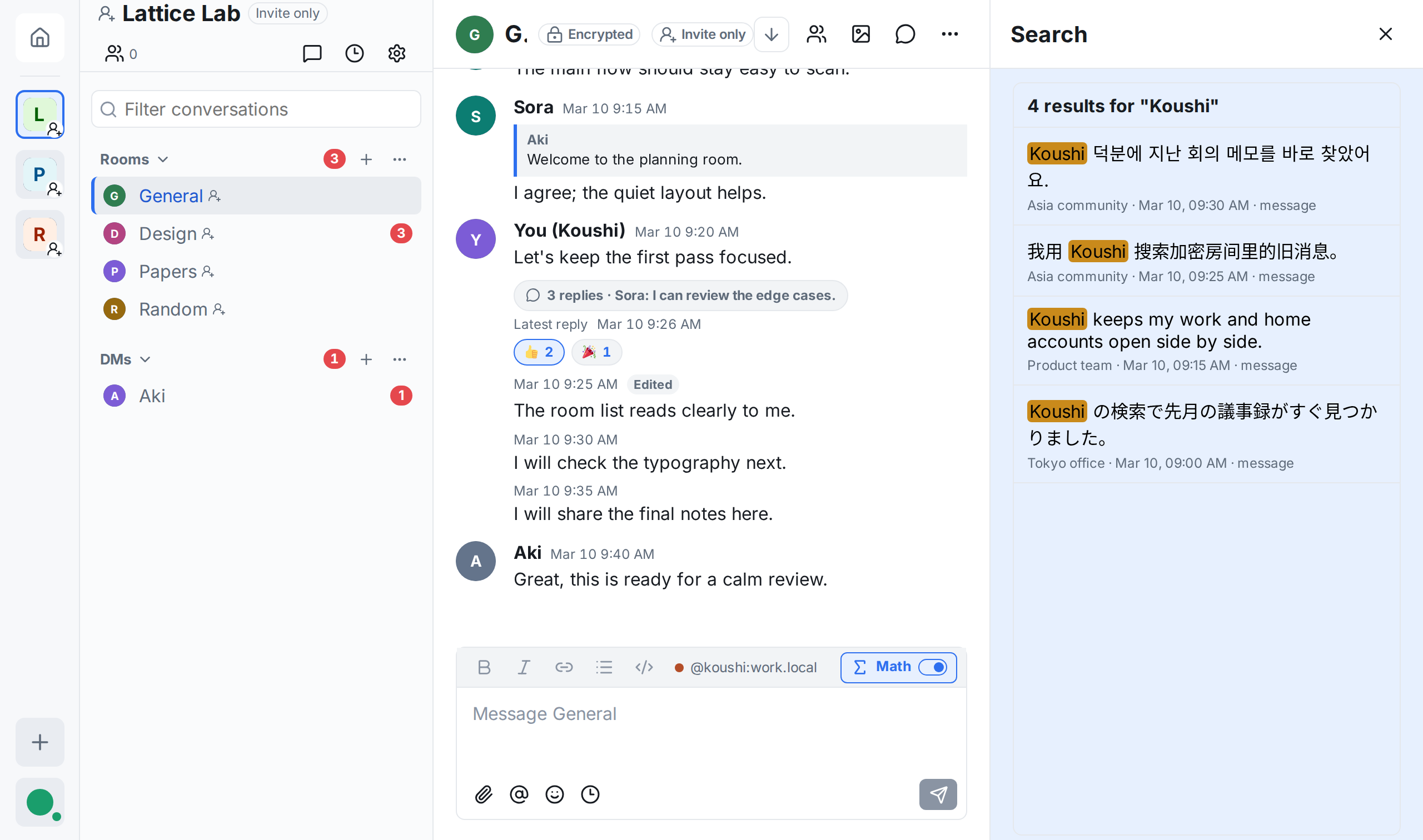
Koushi indexes your history on your own computer, including encrypted rooms, and searches across all rooms, one Space, or one conversation. Pick a result to jump to it in context.
Your rooms use different languages, or one room mixes several.
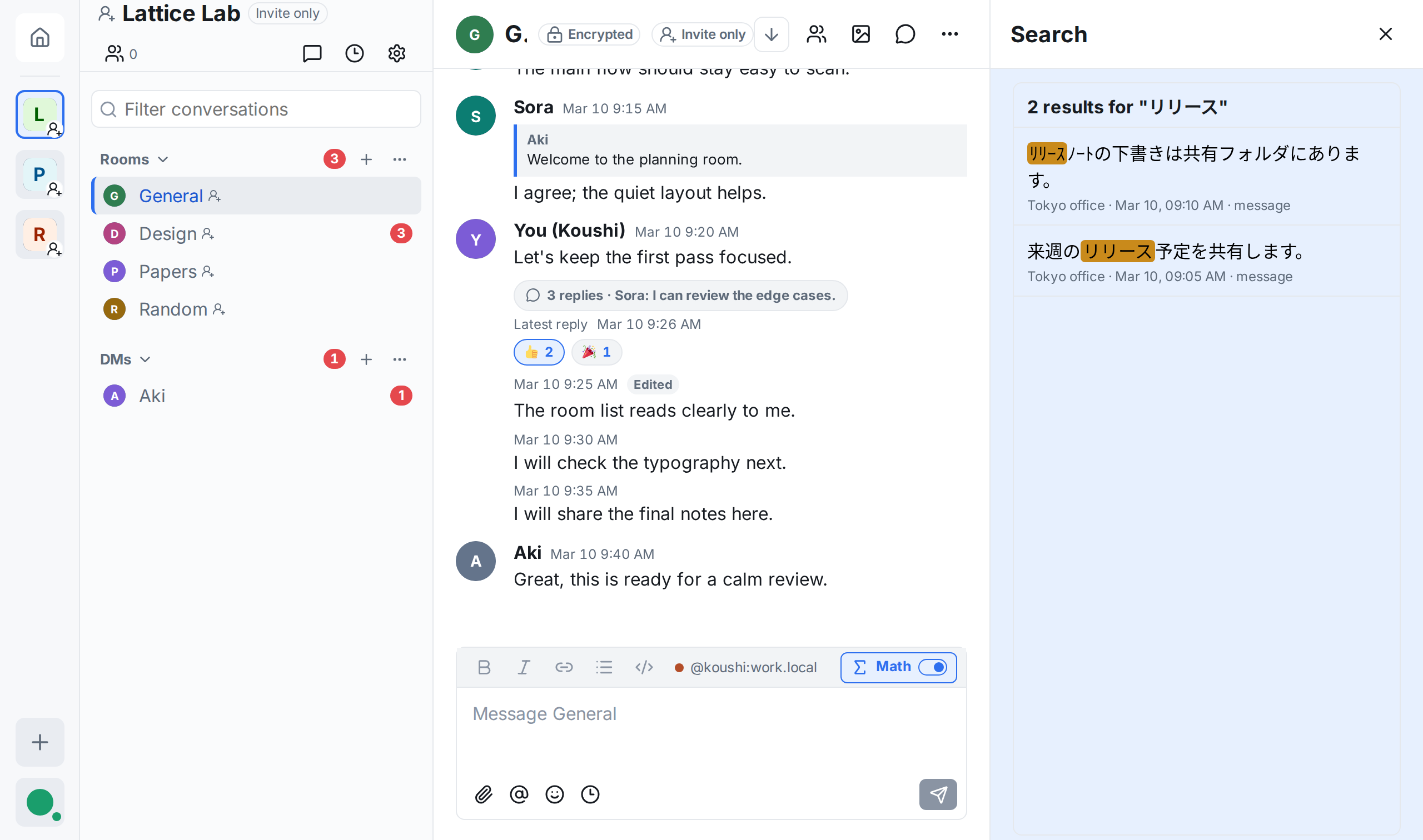
Search does not need to know the language. Japanese, Chinese, Korean, and Latin-script text share one index, text without spaces between words is found, and full-width and half-width characters match each other.
Pressing Enter to confirm a Japanese, Chinese, or Korean conversion sends the message too early.
In Koushi, confirming an input-method candidate is separate from sending. You can also choose whether Enter or Ctrl/Cmd+Enter sends.
Phone photos are huge and slow to share.
When you attach a large image, Koushi lets you choose the image quality before you send it.
You get lost in settings and help pages.
Ask ChatGPT or another AI assistant in your own language. Koushi's user guide is written so assistants can read it, and Help & About in the app shows you how to ask.
Koushi can act as a local MCP server for Claude Code, Codex, and other MCP clients. The assistant talks to the Koushi app already open on your computer, so it can search, summarize, and reply without ever holding your encryption keys.
claude mcp add --scope user koushi -- /path/to/koushi-mcp --client-name claude-codeThen ask in your own words
The koushi-mcp launcher ships with Koushi. The first time an assistant asks for something, Koushi shows an approval dialog, and you can change or remove access later in App Settings → AI assistants. Set up an AI assistant
The app is available in English, 日本語, 简体中文, 繁體中文, and 한국어. Switch in App Settings → Appearance.
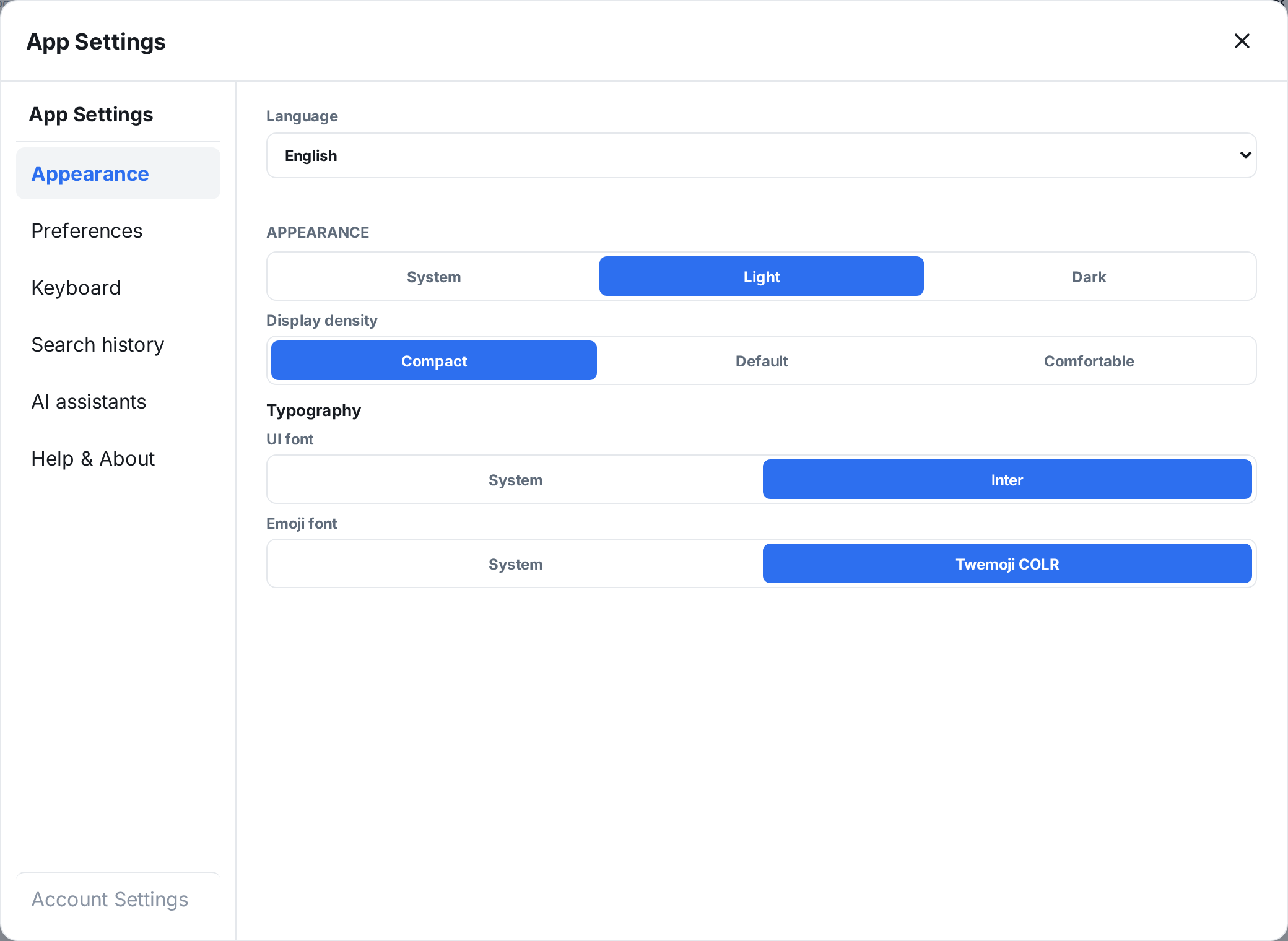
Settings are split into App Settings, which apply to every account tab, and Account Settings for each account.
For step-by-step help, ask an AI assistant or read the user guide. User guide
macOS (Apple Silicon) is officially supported: releases are signed and notarized. Windows and Linux builds are produced by CI but are untested. If you use them and can help, contributions are welcome.
Voice and video calls, screen sharing, bots, and widgets.