3.1 Memory, storage, and files
Explanation
A running program mainly works with data in memory. Files live on persistent storage such as SSD or HDD. This distinction matters because a value stored only in memory disappears when the program ends, while a saved file can be inspected later.
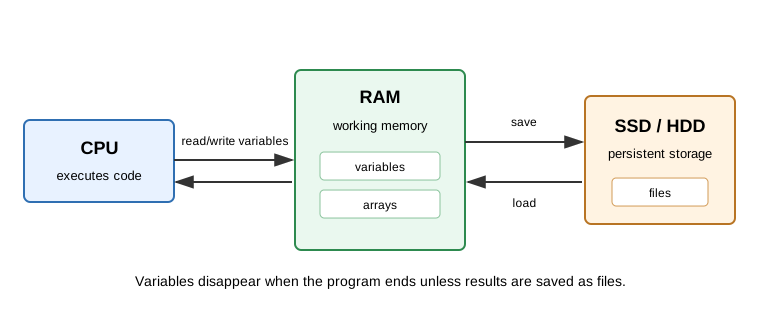
In a Rust project, local variables, slices, and heap buffers such as the element buffer of a Vec<f64> are used while the program is running. Source files such as src/lib.rs, project files such as Cargo.toml and Cargo.lock, and saved result files live on storage.
In scientific computing, this is why saved results should include parameters, random seeds, and metadata. A number printed to the screen is easy to lose. A result file can be checked, compared, and regenerated.
Things to look up
- RAM
- SSD
- HDD
- File
- Metadata
Cargo.tomlCargo.lock
Exercise
Classify each item as usually being in memory, on storage, or moving between them:
- a local variable inside a running Rust function,
- a
Vec<f64>buffer used during a calculation, Cargo.tomlandCargo.lock,src/lib.rs,- a saved result file,
- a plot shown on screen but not saved.
Notes for the exercise
- Do not confuse a variable with a saved file.
- Explain what is lost when the program exits.
- Explain why saving metadata helps reproducibility.
- If an AI agent writes a program, check whether important results are saved or only printed.